Try a Strong Password Generator
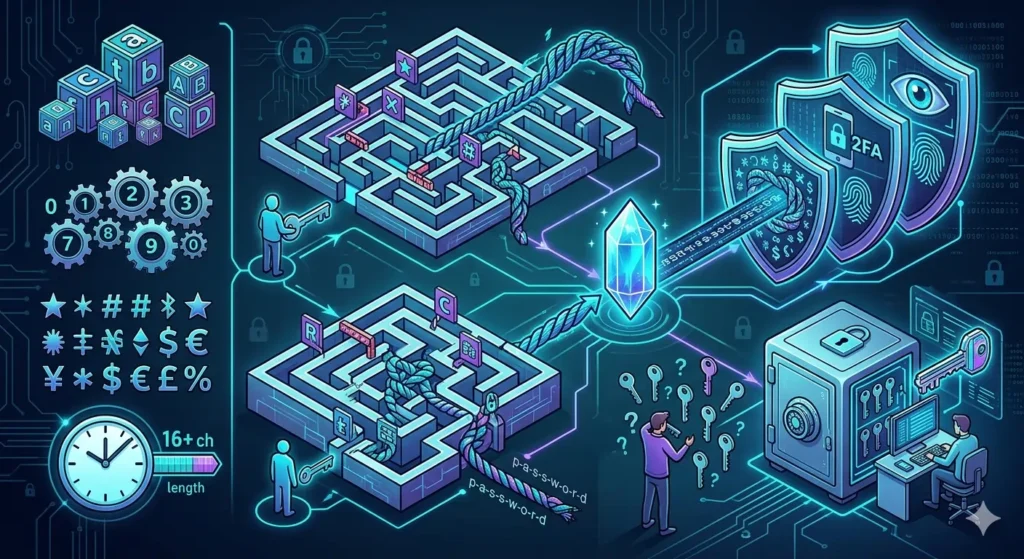
If you are wondering how to create a strong password, the answer starts with using a password that is long, unique, and difficult to guess. A strong password helps protect your online accounts from hackers, data breaches, and unauthorized access. Moreover, following a few proven security practices can dramatically improve your account security.
If you need help generating secure passwords, try our free Strong Password Creator to build unique passwords instantly.
How to Create a Strong Password That Is Hard to Crack
A strong password should be:
- Long
- Random
- Unique
- Difficult to guess
Furthermore, it should not contain personal information such as names, birthdays, phone numbers, or usernames.
As a result, attackers have a much harder time guessing or cracking the password.
How to Create a Strong Password Using Longer Lengths
Password length plays a major role in security.
Generally, longer passwords provide better protection because they increase the number of possible combinations.
For example:
- 8 characters = basic security
- 12 characters = stronger security
- 16 characters = recommended
- 18+ characters = high security
Therefore, choosing a longer password is one of the easiest ways to improve account protection.
How to Create a Strong Password Without Personal Information
Many users create passwords based on:
- Names
- Birthdays
- Pet names
- Favorite teams
- Phone numbers
However, personal information can often be discovered through social media or public records.
Consequently, these passwords become easier to guess.
To understand these risks, review our Name-Based Password Risks guide.
Use Uppercase Letters, Numbers, and Symbols
Strong passwords should include:
- Uppercase letters
- Lowercase letters
- Numbers
- Special characters
Moreover, combining different character types makes passwords significantly harder to predict.
For example:
T7#mL9!qP2@xR5
is much stronger than:
password2026
Therefore, using a mix of character types improves password strength considerably.
Consider Using Passphrases
Passphrases are long combinations of words that are easier to remember. Moreover, they can provide excellent security when the words are random and unique.
Examples may include:
- BlueRiverCoffeeMountain
- SunnyForestTravelBook
Although passphrases are easier to remember, they should still be unique and difficult to predict.
As a result, passphrases can provide both security and usability.
Use Password Generators
Creating strong passwords manually can be difficult. Therefore, many users rely on password generators to create secure passwords automatically. Furthermore, these tools reduce the risk of creating weak or predictable passwords.
Password generators can:
- Create random passwords
- Customize password length
- Include symbols and numbers
- Generate unique passwords
For more information, review our Password Generation Basics article.
Balance Security and Memorability
Some users prefer passwords that are easier to remember. Meanwhile, others prioritize maximum security. Nevertheless, both groups can benefit from using modern password generation tools.
Fortunately, modern password generators can help balance both goals.
For additional strategies, read our Memorable Password Techniques guide.
Follow Website Password Requirements
Many websites require:
- Minimum password lengths
- Numbers
- Symbols
- Uppercase letters
Therefore, understanding password requirements is important when creating new accounts.
If you need advanced customization, see our Custom Password Settings Guide.
Password Managers Improve Security
Password managers help users:
- Store passwords securely
- Avoid password reuse
- Generate strong passwords
- Access passwords across devices
In addition, they simplify password management across multiple accounts. Consequently, users can maintain stronger security habits.
Therefore, many security professionals recommend using a password manager alongside a Unique Password Generator.
Browser Password Suggestions
Modern browsers often suggest strong passwords automatically. However, some users prefer independent tools that offer more flexibility and customization. As a result, standalone password generators remain popular.
If you want alternatives, check our Browser Password Alternatives article.
Frequently Asked Questions
How do I create a strong password?
Use a long, unique password that combines letters, numbers, and symbols while avoiding personal information.
How long should a strong password be?
Most experts recommend at least 12 to 16 characters. However, longer passwords generally provide better protection.
Should passwords contain symbols?
Yes. Symbols increase complexity and improve security.
Are password generators safe?
Yes, when using trusted password generation tools.
Are password managers worth using?
Yes. They make managing strong passwords much easier.
Final Thoughts
Learning how to create a strong password is essential for protecting online accounts. Moreover, longer passwords provide better protection against common attacks. Furthermore, avoiding personal information reduces the risk of password guessing. In addition, password generators make it easier to create secure credentials. Ultimately, combining these best practices can significantly improve your overall online security.
If you need a reliable Unique Password Generator, start creating secure passwords today. Additionally, review our Password Generation Basics and Custom Password Settings Guide resources to strengthen your password strategy.