Try a Strong Password Generator
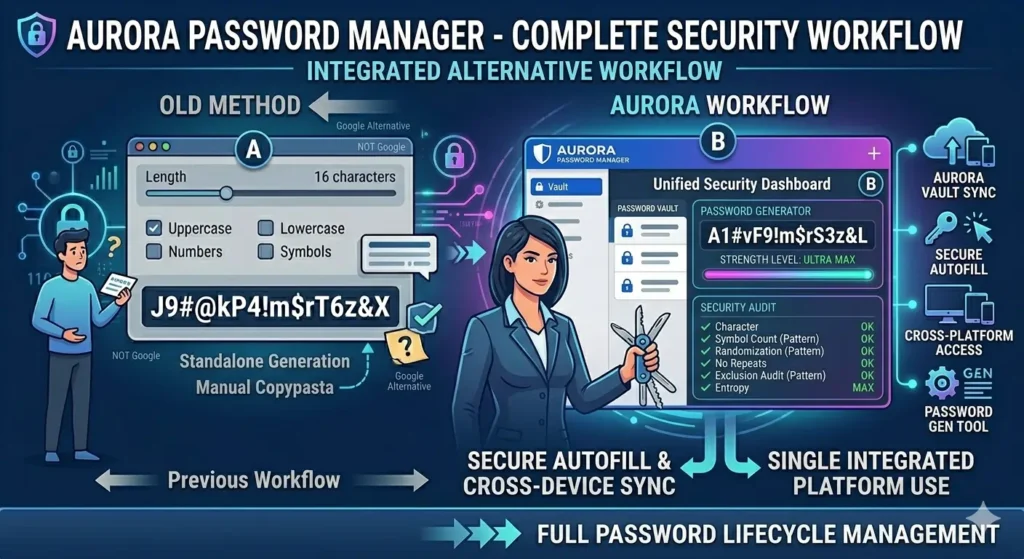
A Google Password Generator Alternative can help users create secure passwords without relying entirely on Google’s built-in password suggestions. While Google offers convenient password generation through Chrome and Google Password Manager, many users prefer additional customization, stronger password controls, and independent security tools.
If you are looking for a reliable way to create strong passwords, try our free Password Creator to generate secure passwords instantly.
What Is Google’s Password Generator?
Google Password Generator is a built-in feature available through Google Chrome and Google Password Manager. When creating a new account, Chrome may automatically suggest a strong password.
As a result, users can quickly create unique passwords without manually thinking of one.
Typically, Google’s password suggestions include:
- Uppercase letters
- Lowercase letters
- Numbers
- Special characters
Therefore, the generated passwords are usually much stronger than common passwords created manually.
Why Look for a Google Password Generator Alternative?
Although Google’s password generator is useful, some users want additional flexibility.
For example, users may want:
- Custom password lengths
- Specific character requirements
- Memorable password options
- Passphrase generation
- Independent password tools
Consequently, many people search for a Google Password Generator Alternative that provides more customization.
Benefits of a Dedicated Password Generator
A dedicated password generator focuses entirely on password creation.
Unlike browser-based solutions, standalone generators often provide:
- Advanced settings
- Custom rules
- Length controls
- Character exclusions
- Passphrase options
Furthermore, users can generate passwords without being tied to a specific browser.
For additional password advice, explore our Strong Password Tips resource.
Google Password Generator vs Online Password Generator
Both tools create secure passwords. However, they serve slightly different purposes.
Google Password Generator works automatically inside Chrome.
Meanwhile, an online password generator allows users to customize password settings before generation.
As a result, many users prefer standalone password generators when they need greater flexibility.
Creating Strong Passwords
Regardless of which tool you use, strong passwords should always be:
- Long
- Random
- Unique
- Difficult to predict
Moreover, passwords should avoid:
- Names
- Birthdays
- Usernames
- Common words
If you currently use personal information inside passwords, review our Password Safety Mistakes guide.
Password Length Matters
Password length remains one of the most important security factors.
Generally, longer passwords provide stronger protection against brute-force attacks.
For example:
- 8 characters = basic protection
- 12 characters = stronger protection
- 16 characters = recommended security
- 18+ characters = enhanced security
High-Security Accounts Need More Protection
Some accounts require stronger security than others.
Examples include:
- Banking accounts
- Cryptocurrency wallets
- Hosting accounts
- Business email accounts
- Cloud storage accounts
Therefore, users often choose longer and more complex passwords for these services.
For advanced protection recommendations, see our High-Security Password Guide.
Custom Password Rules
Many websites require specific password rules.
These rules may include:
- Minimum length requirements
- Special characters
- Uppercase letters
- Numbers
Consequently, password generators with customization features become extremely useful.
To learn more, visit our Custom Password Rules Guide.
Password Generator vs Password Manager
A password generator creates passwords.
A password manager stores passwords.
Although these tools often work together, they serve different purposes.
For example:
- Password generator = create passwords
- Password manager = store passwords
Therefore, many security-conscious users use both.
Are Free Password Generators Safe?
Many password generators are completely safe when used responsibly.
However, users should always choose trusted websites and reputable tools.
Furthermore, generated passwords should never be shared with others.
As a result, a trustworthy password generator can significantly improve account security.
Frequently Asked Questions
Is Google Password Generator secure?
Yes. Google’s password generator creates strong random passwords that are generally secure for most online accounts.
Why use a Google Password Generator Alternative?
Alternatives often provide additional customization, password length controls, and passphrase options.
Can I create passwords without Chrome?
Yes. Many standalone password generators work directly in any browser.
What is the best password length?
Most security experts recommend at least 12 to 16 characters. However, highly sensitive accounts may benefit from even longer passwords.
Should every account use a unique password?
Yes. Unique passwords prevent one compromised account from affecting others.
Final Thoughts
A Google Password Generator Alternative provides greater flexibility, customization, and control over password creation. Moreover, standalone tools often offer features that browser-based password generators cannot.
If you need a reliable Safe Password Generator, start creating strong passwords today. Additionally, explore our Strong Password Tips resource and our Custom Password Rules Guide to improve your overall password security strategy.