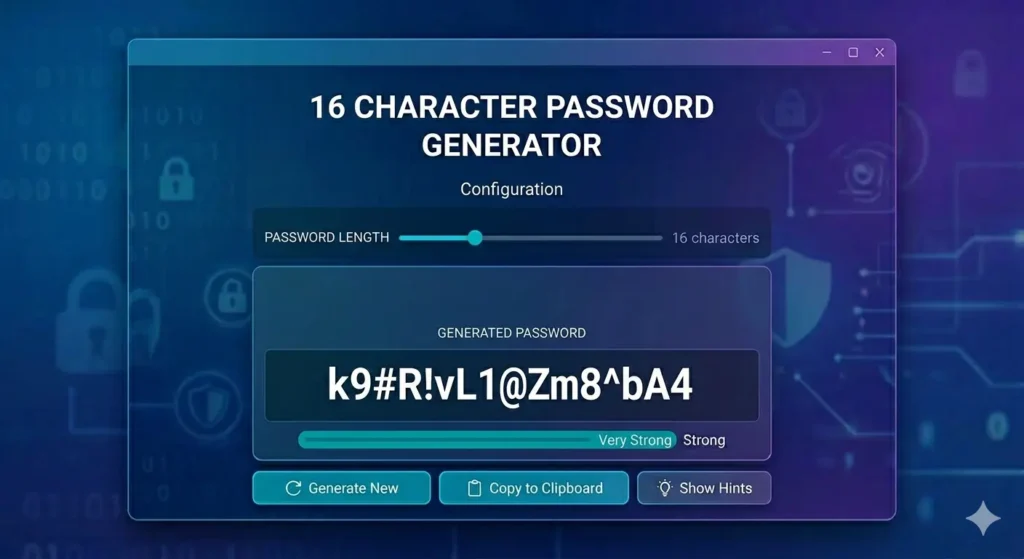
Try a Strong Password Generator
A 16 Character Password Generator helps create secure passwords that balance length, randomness, and usability. Many websites support 16-character passwords, making them a popular choice for protecting online accounts.
If you need strong passwords for important accounts, try our free Secure Password Generator to create secure passwords instantly.
How a 16 Character Password Generator Works
A 16 Character Password Generator creates random passwords that are exactly 16 characters long. Typically, these passwords include uppercase letters, lowercase letters, numbers, and symbols.
For example, a randomly generated password is much harder to guess than passwords based on names, dates, or common words. Therefore, a 16-character password is often a strong choice for email, social media, WordPress, gaming, shopping, and other online accounts.
Why Choose 16 Characters?
A 16-character password offers an excellent balance between security and convenience. It is long enough to resist many automated attacks while remaining practical for everyday use.
Moreover, security experts frequently recommend longer passwords because they provide significantly more protection than short passwords.
For additional password security advice, read our Strong Password Generator guide.
Why Longer Passwords Improve Security
Short passwords are easier to type, but they are also easier to guess or crack. Therefore, increasing password length is one of the simplest ways to improve online security.
Meanwhile, a random 16-character password contains far more possible combinations. As a result, attackers need substantially more time and resources to break it.
Consequently, longer passwords generally provide stronger protection against automated attacks.
Is a 16-Character Password Strong Enough?
Yes, a random 16-character password is strong enough for most online accounts. However, password strength also depends on uniqueness and randomness.
A password becomes weaker if it contains:
- Your name
- Your birthday
- Your username
- Your pet name
- Common words
For this reason, you should avoid personal information whenever possible.
If you currently use personal information in passwords, learn why a Password Generator With Name may not be the safest approach.
What Should a Strong Password Include?
A strong password should include:
- Uppercase letters
- Lowercase letters
- Numbers
- Symbols
Furthermore, every important account should have a different password. As a result, one compromised account cannot easily affect your other accounts.
Should You Use Symbols?
Symbols increase password strength because they create additional combinations.
Common symbols include:
- !
- @
- $
- %
- &
However, some websites do not allow symbols. In that case, increasing password length remains an effective alternative.
Can Strong Passwords Work Without Symbols?
Some websites only allow letters and numbers. Fortunately, a 16-character password can still be strong without symbols if it remains random and unique.
Although symbols add complexity, password length often provides the greatest security benefit. Therefore, do not worry if a website restricts special characters.
Memorable Passwords vs Random Passwords
Some users prefer passwords that are easier to remember. However, fully random passwords are generally stronger.
Nevertheless, memorable passwords can still be useful for less sensitive accounts when they are long and unique.
Many users also prefer our Easy to Remember Password Generator when convenience is important.
Best Uses for a 16-Character Password
A 16-character password is suitable for:
- Email accounts
- Social media accounts
- WordPress accounts
- Gaming accounts
- Shopping websites
- School platforms
- Hosting dashboards
However, highly sensitive accounts such as banking or crypto wallets may benefit from even longer passwords.
Therefore, password length should depend on account importance.
Should You Use a Password Manager?
Yes, using a password manager is a smart choice. In addition, it helps store long and random passwords without requiring you to remember every password.
As a result, you can use stronger passwords while keeping account access convenient.
If you need to create secure passwords quickly, use our free Free Password Generator and generate unique passwords for every account.
Frequently Asked Questions
What is a 16 Character Password Generator?
It is a tool that creates random passwords with exactly 16 characters.
Is a 16-character password strong?
Yes. A random 16-character password is considered strong for most online accounts.
Should a 16-character password include symbols?
Yes, when websites allow them. However, long passwords without symbols can still be secure.
Can a 16-character password be easy to remember?
Yes, although random passwords usually provide stronger protection.
Should I use the same password on multiple websites?
No. Every important account should use a unique password.
Final Thoughts
A 16 Character Password Generator is useful because it creates passwords that are long enough for strong security while remaining practical for everyday use.
Moreover, a 16-character password works well for many online accounts when it is random, unique, and free from personal information.
For quick password creation, use our free Secure Password Generator. Additionally, review our Strong Password Generator guide and our Easy to Remember Password Generator article to improve your overall password security strategy.