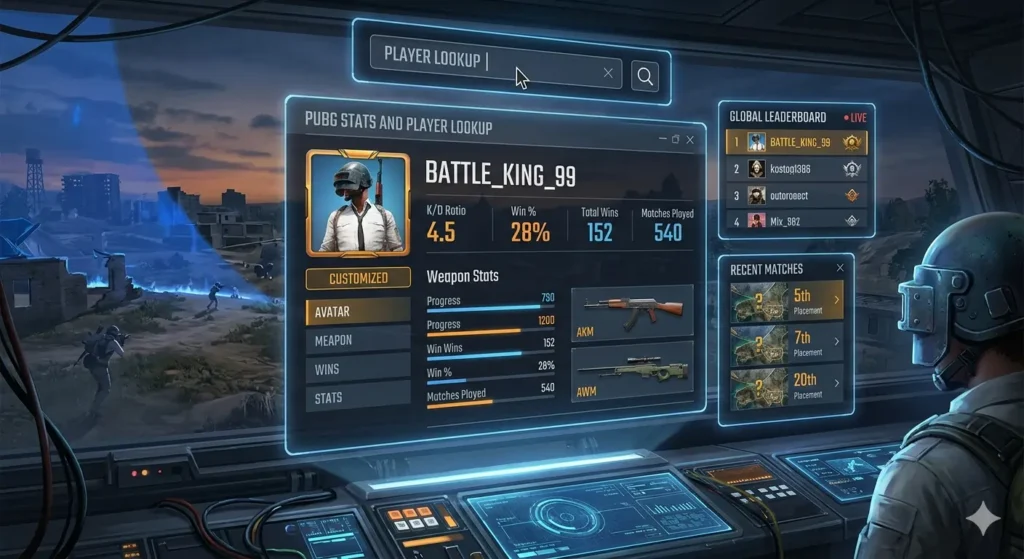
PlayerUnknown’s Battlegrounds (PUBG) has been a battle royale giant since 2017. Whether you’re a solo queue warrior, a ranked squad leader, or a casual player dropping into Erangel on weekends, one question always lingers: “How am I really doing?”
Raw gameplay feel isn’t enough. You need data – kill/death ratios, win percentages, damage per match, headshot accuracy, and even how you compare against regional averages. That’s where PUBG stats and player lookup tools come in.
In this comprehensive guide, we’ll explore the most powerful platforms – including PUBG OP.GG, PUBG Lookup, Steam Charts, and player count trackers. You’ll learn how to use them, interpret the numbers, and actually improve your game.
1. Why PUBG Stats Matter More Than Ever
PUBG has evolved dramatically. With multiple maps (Erangel, Miramar, Taego, Deston, Karakin, etc.), ever-changing weapon balance, and periodic ranked resets, tracking your performance is the only way to know if you’re progressing.
- Skill validation – Stats prove whether you’re getting better or just feeling lucky.
- Weakness identification – Low headshot rate? Poor survival time? Stats highlight exactly what to practice.
- Teammate vetting – Before joining a squad, a quick player lookup reveals if someone genuinely has a 3.0 K/D or just talks big.
- Competitive readiness – Tournaments and scrims often require minimum stats for entry.
But PUBG’s in-game career profile only shows basic info (total wins, kills, top 10s). For real depth, you need third-party stat trackers.
2. PUBG OP.GG – The Gold Standard (Breakout Interest)
Search interest for pubg op gg recently hit Breakout status – the highest growth category. Why? OP.GG has become the default dashboard for serious players.
What PUBG OP.GG Offers
- Match-by-match breakdown – Every game you’ve played in the last season, with timestamps, map names, final placement, kills, assists, damage dealt, and survival time.
- Weapon statistics – See exactly which guns you perform best with. Your M416 accuracy vs. Beryl? OP.GG tells you.
- Heatmaps – Visual representation of where you die most often (e.g., School on Erangel or Bootcamp on Sanhok).
- Season comparison – Compare current season stats to previous ones to track improvement.
- Leaderboards – Filter by region (NA, EU, AS, SEA, etc.), game mode (solo/duo/squad), and perspective (TPP/FPP).
How to Use OP.GG for Player Lookup
- Go to
pubg.op.gg(no download required). - Enter a player’s in-game name exactly as it appears (case-sensitive on PC).
- Select the correct platform – Steam (PC), Xbox, PlayStation, or Stadia (legacy).
- Hit “Search” – within seconds you’ll see their entire match history, average K/D, win rate, and even their most lethal landing spots.
Pro tip: If you see a suspiciously high win rate, OP.GG also shows match duration. A player with 30 wins in 20 minutes is likely cheating – you can use this data to report confidently.
3. PUBG Lookup – The Underrated Powerhouse (Up 90%)
While OP.GG gets the spotlight, pubg lookup has seen a massive +90% increase in searches – and for good reason. PUBG Lookup offers features that OP.GG doesn’t.
Unique Features of PUBG Lookup
- Teammate stats – After a match, you can see not only your own stats but also every teammate’s damage, kills, and survival time. Great for spotting who carried (or who should drop hot next time).
- Detailed damage logs – Unlike OP.GG’s summary, PUBG Lookup shows damage per enemy, including how many hits to which body part (head, torso, limbs).
- Loot efficiency – It tracks how much time you spent looting vs. fighting. High loot time with low damage? You’re playing too passively.
- Vehicle usage – How many kilometers driven, road kills, and vehicle explosions.
- API access for developers – Not for everyone, but content creators use it to pull live stats for stream overlays.
Step-by-Step Player Lookup with PUBG Lookup
- Visit
pubglookup.com. - Search by player name + platform.
- Click on any recent match to expand a full timeline – you’ll see every kill, knock, revive, and even the order of zone shrinkages.
- Use the “Compare” feature to pit two players’ stats side‑by‑side (e.g., you vs. a rival).
If you’re a stats nerd who wants granular data, PUBG Lookup is your best friend.
4. PUBG Stats – What the Numbers Really Mean (Up 30%)
Search interest for generic pubg stats has grown 30%. But raw numbers without context are useless. Let’s break down key stats you’ll see on any lookup tool.
| Stat | What It Tells You | Good Benchmark (Squad FPP) |
|---|---|---|
| K/D (Kill/Death) | Average kills per death | 1.5 – 2.5 (casual); 3.0+ (competitive) |
| Win Rate | % of matches finished #1 | 5% – 10% (normal); 15%+ (top tier) |
| Top 10 Rate | Consistency of survival | 30% – 50% |
| Damage per Match (DPM) | Aggression + accuracy | 200 – 300 (decent); 400+ (aggressive) |
| Headshot % | Precision | 20% – 30% (solid); 35%+ (elite) |
Example: A player with a 2.0 K/D but only 150 DPM is likely stealing kills. A player with a 1.2 K/D but 350 DPM is probably unlucky – they deal damage but teammates finish the knocks. Stats tell stories.
5. PUBG Player Count – Is PUBG Still Alive? (Up 40%)
Searches for pubg player count jumped 40% as players wonder if the game is dying. The short answer: No. The long answer: it’s healthier than most live-service games.
Where to Check Live Player Count
- Steam Charts (see next section) – Best for PC numbers.
- Official PUBG status page – Only shows maintenance info, not player counts.
- Third-party aggregators like
playercounter.comorliveplayer count.
Current State (as of 2025)
- PC (Steam): 250k – 450k concurrent players daily.
- Consoles (Xbox + PlayStation): Estimated 100k – 200k peak (exact numbers are private, but crossplay ensures full lobbies).
- Mobile (PUBG Mobile / BGMI): Tens of millions – but that’s a separate ecosystem.
Compared to other BRs: Fortnite averages ~2‑3 million across all platforms (but includes creative modes). Apex Legends ~300‑500k on Steam alone. PUBG holds its own, especially in Asia and Europe.
Why Player Count Fluctuates
- New seasons – Count spikes by 30‑50% in the first two weeks.
- Map rotations – Players return when their favorite map (e.g., old Erangel) is featured.
- Esports events – PGS (PUBG Global Series) causes temporary bumps.
If you’re worried about bots: At peak hours, PC and console lobbies have <5% bots. Off‑peak (e.g., 4 AM in your region) might have 20‑30% bots – still playable.
6. PUBG Steam Charts – The Raw Data (Up 3%)
Despite the smaller growth (+3%), pubg steam charts remains a critical resource. Steam Charts tracks concurrent players, not total accounts.
How to Read Steam Charts for PUBG
- Go to
steamcharts.com/app/578080(PUBG’s app ID). - Look at three numbers:
- Current players – Right now.
- 24‑hour peak – The highest in the last day.
- All‑time peak – 3,257,248 (January 2018, when PUBG was a cultural phenomenon).
Why Steam Charts Still Matters in 2025
- Trend analysis – A slow decline over years is normal, but a sudden drop of 20% in a month signals a broken patch.
- Matchmaking expectations – Under 200k concurrent on PC? Expect longer queue times for ranked FPP solo.
- Esports viewership correlation – When Steam numbers rise, tournament viewership often follows.
Interesting fact: PUBG’s player count on Steam has been remarkably stable since 2022, hovering between 200k and 500k – a flat line, not a death spiral. That’s rare for a 7‑year‑old game.
7. How to Use All These Tools Together
Don’t rely on just one source. Here’s a winning workflow for any PUBG player:
- Before playing – Check
pubg steam chartsto see if your region’s peak times align with your schedule (e.g., EU evenings = fastest queues). - After a session – Open
pubg op ggto review your last 5 matches. Spot patterns – do you always die in the first circle? Loot too long? - Every Sunday – Use
pubg lookupto run a weekly report. Compare this week’s K/D to last week’s. Upward trend = good. - End of season – Check
pubg player countarchives to see if the game gained or lost players during that season. It helps set expectations for next season’s competition level.
8. Common Mistakes to Avoid
- Looking up only your best matches – Stats are about averages. Review bad games too.
- Ignoring platform differences – Stats on PC (where aim is easier) vs. console (where aim assist exists) aren’t directly comparable.
- Obsessing over K/D – A support player who spots, shares loot, and calls rotates might have a 1.0 K/D but be the MVP. Look at win rate and damage instead.
- Forgetting privacy settings – Some players hide their match history. If a lookup returns “no data,” they may have enabled privacy mode.
Conclusion: Know Your Numbers, Dominate the Battlegrounds
PUBG is a game of inches – a slightly better rotation, a few extra headshots, one more circle survival. The only way to measure those inches is through PUBG stats and player lookup tools.
- PUBG OP.GG gives you the big picture with beautiful visuals.
- PUBG Lookup offers microscopic detail down to individual bullets.
- Steam Charts and player count trackers keep you informed about the game’s health and queue times.
Whether you’re grinding to Master rank, creating content, or just proving to your friends that you’re not a bot, these tools are your competitive edge.
So go ahead: look up your stats. Compare with last season. Find that one weak link – then drop into bootcamp and fix it.

