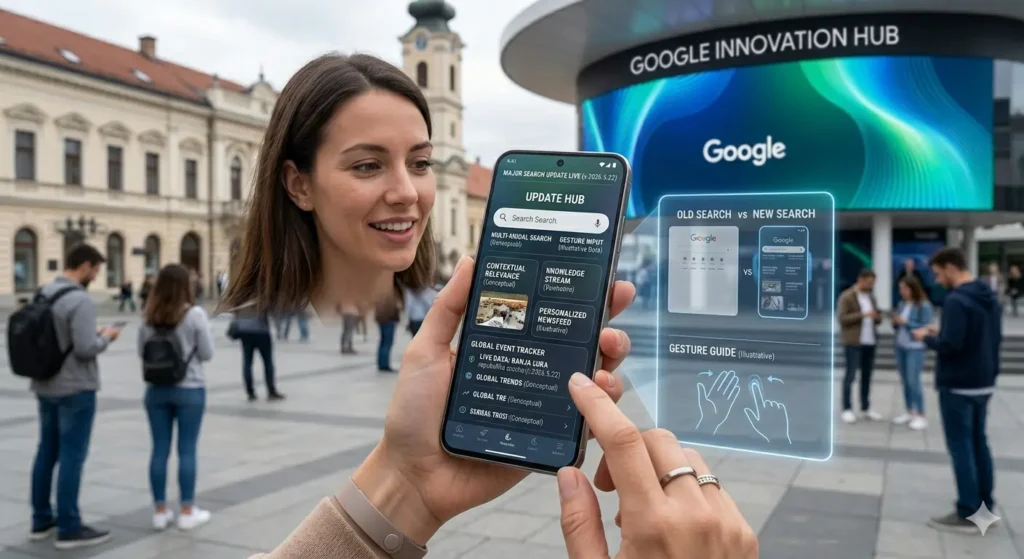
For more than 25 years, the Google search experience stayed almost the same. Users typed a few keywords into a simple white box, pressed Enter, and received a page full of blue links. However, the new Google Search Bar Update completely changes that familiar system.
Instead of only handling short keyword searches, Google’s redesigned search bar now supports conversational AI, multimodal input, information agents, and even AI-generated mini apps. In other words, Google Search is evolving from a search engine into a full AI assistant.
Announced during Google I/O 2026, this update represents the biggest transformation to Google Search since the company launched in the late 1990s.
For a complete breakdown of all Google I/O 2026 announcements — including Android 17, Gemini updates, and Pixel devices — check out our full Google I/O 2026 recap.
What Changed in the Google Search Bar Update?
The biggest difference is the search box itself. Previously, Google Search was designed around short keyword phrases. Now, the search bar expands dynamically while you type, allowing much longer and more natural conversations.
As a result, users no longer need to search using robotic keyword combinations like:
- “best hotels chicago cheap”
- “weather tomorrow london”
Instead, you can ask:
“Plan a budget-friendly 3-day Chicago trip for a family with two children.”
The new interface feels closer to chatting with an assistant than using a traditional search engine.
Key Features of the Google Search Bar Update
Dynamic Expanding Search Box
First of all, the search bar now grows as you type. Consequently, users can enter detailed prompts without feeling restricted to a tiny single-line field.
This small visual change completely alters how people interact with Google Search.
AI Mode Integration
Arguably, the biggest feature is the new AI Mode toggle.
When enabled, AI Mode transforms Google Search into a conversational assistant powered by Gemini 3.5 Flash. Instead of showing only links, Google can now:
- Answer complex questions
- Create summaries
- Revise plans
- Compare products
- Continue conversations naturally
For example, you can ask:
“Plan a cheap weekend trip to New York with indoor activities for rainy weather.”
Then, you can follow up with:
“Make it cheaper and remove museums.”
The AI updates the plan instantly.
Multimodal Search Support
Additionally, the Google Search Bar Update introduces true multimodal search.
Users can now combine:
- Text
- Images
- Voice
- Documents
- Screenshots
into a single search experience.
For example:
- Upload a photo of a plant and ask if it is dangerous for pets
- Upload a PDF and ask Google to summarize it
- Speak a question instead of typing
- Combine images with voice prompts
As a result, search becomes much more flexible than traditional keyword-only searching.
AI Mode: From Search Engine to AI Assistant
The new AI Mode changes how Google handles information completely.
Previously, users searched for websites. However, AI Mode focuses more on completing tasks directly inside Google Search itself.
That means users can:
- Research topics
- Build itineraries
- Compare products
- Summarize documents
- Refine answers through follow-up prompts
without constantly opening new tabs.
Interestingly, this moves Google closer to AI chatbot competitors while still keeping traditional search results available.
Information Agents Explained
Meanwhile, one of the most innovative features in the Google Search Bar Update is Information Agents.
These are background AI assistants that continuously monitor the web for specific topics.
For example, users can create prompts like:
- “Track Tesla battery breakthroughs.”
- “Alert me when PlayStation 6 preorders begin.”
- “Monitor AI regulation news in Europe.”
After setup, the agent searches automatically and sends updates directly to the user.
Consequently, Google Search shifts from:
“Find information for me”
to:
“Monitor information for me.”
This is a major shift in how search engines work.
Agentic Coding: AI App Creation Inside Search
Interestingly, one of the most surprising Google I/O announcements was Agentic Coding.
This feature allows users to create simple applications directly inside Google Search without writing code manually.
For example, users can type:
- “Create a BMI calculator.”
- “Build a tip calculator.”
- “Make a to-do list app.”
Then, Gemini instantly generates a working mini application inside the search results page.
Importantly, these apps run locally inside the browser instead of uploading personal data to Google servers.
Although the feature is currently limited to simple tools, it demonstrates how quickly AI-assisted software creation is evolving.
AI Overviews Are Getting Smarter
Although AI Overviews already existed before, the Google Search Bar Update improves them significantly.
Now, AI-generated summaries include:
- Faster loading speeds
- Better citations
- Improved factual accuracy
- Follow-up refinement options
Additionally, every major factual claim includes visible source links.
According to Google, hallucinations have been reduced substantially compared to older Gemini models.
However, users should still verify important medical, financial, or legal information independently.
How To Use the New Google Search Bar
Fortunately, using the new features is simple.
For Basic Questions
Users can type naturally into Google Search as usual. AI Overviews appear automatically for informational topics.
For Conversational AI
Toggle AI Mode next to the search button. Then, continue the conversation naturally with follow-up prompts.
For Information Agents
After searching a topic, click “Create Agent” to let Google monitor the web automatically for updates.
For AI Tools and Calculators
Describe what you want in plain English. In some cases, Agentic Coding automatically creates an interactive mini app instantly.
What the Google Search Bar Update Means for Users
Overall, the Google Search Bar Update fundamentally changes how people interact with information online.
Instead of:
- searching
- clicking
- comparing
- summarizing manually
Google increasingly handles those steps automatically.
For students, researchers, professionals, and casual users alike, this could save enormous amounts of time.
Additionally, multimodal input makes search more accessible for users who prefer voice, images, or documents instead of typing.
However, there are also concerns.
Some users worry that:
- AI answers reduce website traffic
- people may trust AI too easily
- misinformation could still spread
- fewer users may visit original sources
Those concerns remain part of the larger AI debate.
What the Google Search Bar Update Means for Publishers
Meanwhile, publishers have mixed reactions to these AI-powered search changes.
On one hand, AI Overviews can reduce clicks because users receive answers directly inside Google Search.
On the other hand, high-quality websites may still benefit if Google cites them prominently inside AI summaries.
As a result, publishers increasingly need:
- original reporting
- expert insights
- clear structure
- trustworthy sources
- strong EEAT signals
Generic rewritten content will likely struggle much more in AI-powered search environments.
Privacy Features and User Controls
At the same time, Google added several privacy controls for users concerned about AI features.
Users can:
- Disable AI Mode
- Turn off AI Overviews
- Delete Information Agent history
- Use Incognito Mode
- Manage Gemini activity inside Google Account settings
Additionally, Google says AI features are not enabled by default for users under 18 without parental controls.
Frequently Asked Questions
When is the Google Search Bar Update releasing?
Google says rollout begins in the United States during June 2026, with global expansion planned later in the year.
Is AI Mode free?
Yes. Standard AI Mode usage is free, although advanced features may eventually require Gemini subscriptions.
Can users disable AI Overviews?
Yes. AI Overviews can be turned off inside Google Search settings.
Are Information Agents private?
They only monitor public web content and do not scan private emails or files.
Will Agentic Coding replace developers?
No. It currently focuses on simple single-purpose tools rather than large-scale applications.
Bottom Line
Ultimately, the Google Search Bar Update may be the biggest transformation to online search in an entire generation.
AI Mode turns search into a conversational assistant. Multimodal search combines text, voice, images, and documents. Information Agents monitor the web automatically. Agentic Coding even allows users to generate simple apps instantly.
This is no longer just:
“Find me links.”
Instead, Google increasingly wants search to become:
“Help me complete tasks.”
Whether users love or hate the AI direction, one thing is clear: the future of search looks very different from the past 25 years.