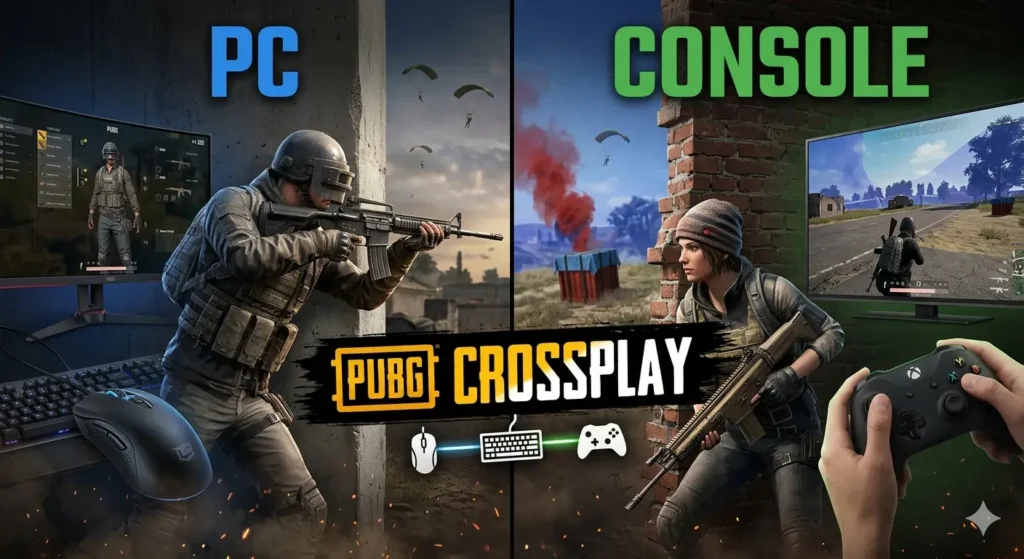
PUBG crossplay is one of the most frequently searched topics among battle royale players. As a result, many gamers want to know whether they can squad up with friends on different devices. Moreover, searches for is PUBG cross platform, PUBG crossplay, and is PUBG crossplay continue to rise.
Fortunately, PUBG does support cross-platform play in certain situations. However, the feature comes with important limitations depending on your platform. Therefore, understanding exactly how PUBG crossplay works can save you time and frustration.
In this complete guide, you’ll learn which platforms support PUBG crossplay, how to enable it, key limitations, and why PC and console players cannot currently share the same lobbies.
What Is PUBG Crossplay? Understanding the Basics
Simply put, PUBG crossplay allows players on different gaming systems to join the same matches.
Traditionally, multiplayer games restricted players to their own platforms. However, modern cross-platform technology removes some of those barriers.
As a result, Xbox and PlayStation users can compete together in shared lobbies.
Meanwhile, PC players remain in a separate matchmaking pool.
Consequently, not every version of PUBG supports the same crossplay features.
Which Platforms Support PUBG Crossplay?
As of 2026, PUBG crossplay works as follows:
| Platform Group | Can Play Together? | Notes |
|---|---|---|
| Xbox One, Xbox Series X/S, PS4, PS5 | ✅ Yes | Full console crossplay |
| PC (Steam, Epic, Microsoft Store) | ❌ No | PC-only matchmaking |
| PUBG Mobile / BGMI | ❌ No | Separate ecosystem |
| Stadia | ❌ No | Service discontinued |
For example, Xbox and PlayStation players can join the same squad without issue.
However, PC players cannot join those lobbies.
Likewise, PUBG Mobile remains completely separate.
Therefore, players should verify compatibility before inviting friends.
Is PUBG Crossplay Enabled by Default?
Many players search for is PUBG crossplay because they are unsure whether the feature requires activation.
Fortunately, console players do not need to make any changes because crossplay is enabled automatically.
However, players can still verify the setting manually.
How to Check on Xbox and PlayStation
First, launch PUBG.
Next, open Settings.
Afterward, select Gameplay.
Then locate Cross-Platform Play.
Finally, confirm that it remains enabled.
As a result, your matchmaking pool will include both Xbox and PlayStation users.
Meanwhile, disabling the feature can dramatically increase queue times.
Therefore, most players leave it enabled.
What About PC Players?
PC players do not have a console crossplay option.
Instead, Steam, Epic Games Store, and Microsoft Store PC users share the same matchmaking ecosystem.
Consequently, PC players only compete against other PC users.
Why Isn’t PUBG Fully Cross Platform?
Although many modern games support complete cross-platform play, PUBG takes a different approach.
1. Input Method Differences
First, mouse-and-keyboard controls offer significantly more precision than controllers.
Furthermore, PC players can react more quickly in many situations.
As a result, console players would face a disadvantage.
2. Performance Gaps
Additionally, high-end gaming PCs can exceed 144 FPS.
Meanwhile, most console players operate at lower frame rates.
Consequently, performance differences could impact competitive fairness.
3. Anti-Cheat Challenges
Furthermore, cheating remains more common on PC platforms.
By comparison, console ecosystems experience fewer cheating incidents.
Therefore, separating the platforms helps maintain a more balanced environment.
4. Gameplay Balance
Finally, recoil control, inventory management, and movement techniques often feel easier on PC.
As a result, PUBG developers continue keeping PC and console matchmaking separate.
How to Play PUBG Crossplay With Friends
Fortunately, setting up PUBG crossplay is straightforward.
Step 1: Enable Crossplay
First, verify that Cross-Platform Play remains enabled.
Step 2: Add Your Friend
Next, open the Social menu.
Then search for your friend’s PUBG username.
Afterward, send a friend request.
Step 3: Create a Party
Once the request is accepted, invite your friend to a squad.
Consequently, both players will appear in the same lobby.
Step 4: Start Matchmaking
Finally, select your preferred game mode and start matchmaking.
As a result, the game will place your squad into cross-platform console lobbies.
PUBG Crossplay Limitations
Although PUBG crossplay works well, several restrictions still exist.
For example:
- PC players cannot join console parties.
- Mobile players remain separate.
- Cross-progression support remains limited.
- Nintendo Switch support does not exist.
Therefore, players should understand these limitations before planning cross-platform sessions.
PUBG Crossplay vs Other Battle Royales
Compared to other battle royale titles, PUBG adopts a more conservative strategy.
| Game | Crossplay Support |
|---|---|
| PUBG | Console only |
| Fortnite | Full crossplay |
| Apex Legends | Full crossplay |
| Warzone | Full crossplay |
| Warframe | Full crossplay |
For example, Fortnite supports matchmaking across nearly all platforms.
Similarly, Apex Legends and Warzone allow PC and console players to share lobbies.
However, PUBG prioritizes competitive balance over universal matchmaking.
Consequently, PUBG remains one of the few major battle royale games without PC-console crossplay.
Frequently Asked Questions
Is PUBG crossplay between Xbox and PC?
No. However, Xbox players can use PUBG crossplay with PlayStation users. For more ways to enhance your gameplay across any platform, check out our PUBG Secret Key Locations Guide.
Can console players join PC lobbies?
No. Therefore, console and PC matchmaking remain completely separate.
Does PUBG crossplay work in ranked mode?
Yes. Furthermore, ranked crossplay works between Xbox and PlayStation players.
Will PUBG become fully cross platform?
Currently, there are no announced plans. However, developers continue monitoring player feedback.
Is PUBG crossplay available on Nintendo Switch?
No. In fact, PUBG is not available on Nintendo Switch.
Improve Your PUBG Experience
Now that you understand PUBG crossplay, you can focus on improving your gameplay.
For example, learning secret room locations can dramatically improve your loot quality. Read our complete guide: PUBG Secret Key Locations – it works on any platform.
Additionally, understanding premium currency purchases can help you avoid scams. If you ever want to buy UC for skins or the season pass, check out our PUBG UC Guide 2026: Buy UC Safely & Avoid Scams.
Therefore, consider exploring these related PUBG guides before your next match.
Final Thoughts
Overall, PUBG crossplay provides a smooth experience for Xbox and PlayStation players.
On one hand, console users can easily team up with friends across platforms. On the other hand, PC players remain isolated from console matchmaking.
Furthermore, PUBG continues prioritizing competitive balance and fair gameplay.
Meanwhile, other battle royale games have chosen broader cross-platform support.
Nevertheless, PUBG’s approach helps reduce concerns about input advantages, performance gaps, and cheating.
Ultimately, if you play on Xbox or PlayStation, PUBG crossplay works extremely well and makes finding matches with friends easier than ever.

