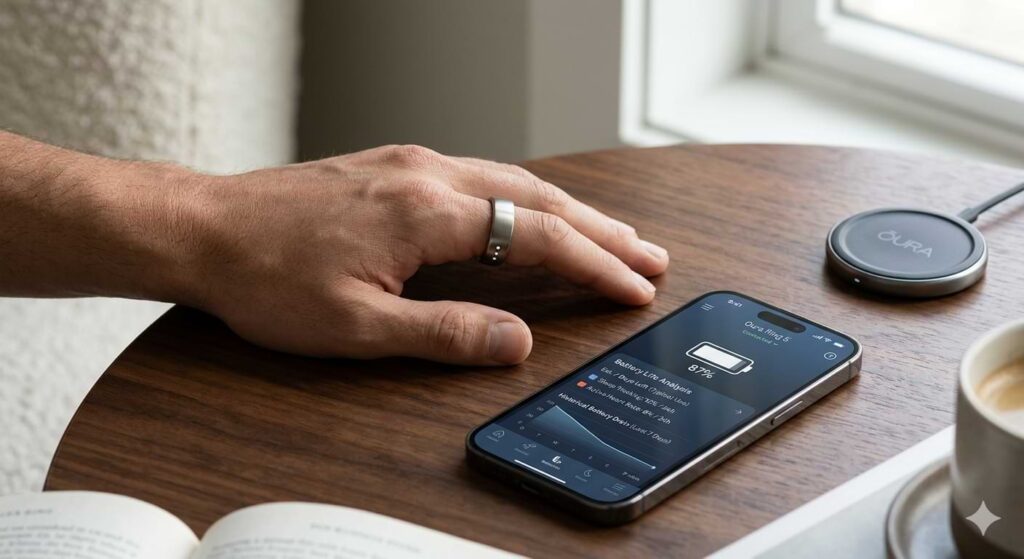
You just unboxed your Oura Ring 5, and the battery life claims say 5 to 8 days. But you’re getting maybe 4. What gives?
I’ve been wearing Oura rings for years. Battery life varies wildly depending on how you use the ring. The good news: with a few simple tweaks, you can stretch that charge to the upper end of the range.
In this guide, I’ll share the settings that drain battery the fastest, the features you can turn off without losing much value, and a few charging habits that keep the battery healthy over time.
For a complete overview of the Ring 5’s specs, colors, and subscription, check out our Oura Ring 5 launch guide.
How Long Should the Battery Last?
Oura officially rates the Ring 5 at 5 to 8 days. The wide range depends on:
- How often you use the “Workout Heart Rate” mode
- Whether you use the “Blood Oxygen Sensing” during sleep
- How many times you open the app (which pings the ring)
- Environmental temperature (cold drains faster)
- Age of the battery (new rings last longer)
Most users get around 6–7 days with default settings. With optimization, you can hit 8 or even 9.
7 Tips to Maximize Oura Ring 5 Battery Life
1. Turn Off Blood Oxygen (SpO2) During Sleep
This is the biggest battery hog. The green and red LEDs pulse all night to measure oxygen levels. If you don’t have sleep apnea or a specific medical need, you likely don’t need nightly SpO2.
How to turn it off:
Go to the Oura app → Settings (ring icon) → Blood Oxygen Sensing → Toggle OFF.
Battery gain: 1–2 extra days.
2. Disable “Workout Heart Rate” for Short Exercises
The ring automatically detects walks, runs, and cycles. That’s fine. But if you trigger the “Record Workout HR” manually, the ring samples every second instead of every 5–10 seconds. That kills battery.
Solution: Only use manual workout recording for sessions longer than 30 minutes. For short walks or housework, let auto‑detection handle it.
3. Reduce Syncing Frequency
Every time you open the Oura app, the ring syncs data via Bluetooth. That’s a small drain, but if you open the app 20 times a day, it adds up.
Tip: Sync twice a day – morning and evening. Check your scores once, then close the app.
4. Keep the Ring Away from Extreme Temperatures
Cold weather reduces lithium‑ion battery efficiency. Wearing the ring outside in freezing temperatures while walking is fine – your hand keeps it warm. But leaving the ring on a cold nightstand or in a hot car? That hurts battery life long‑term.
Best practice: Store the ring between 50°F and 85°F (10°C – 30°C).
5. Use Battery Saver Mode (New to Ring 5)
Oura added a software‑only “Battery Saver” mode. It reduces background LED pulses and sync frequency.
Where to find it:
Oura app → Settings → Battery Saver → toggle ON.
Downside: You lose real‑time heart rate during the day. But readiness and sleep scores are still accurate.
6. Turn Off “Restorative Time Tracking”
This feature measures how much time your nervous system is in a calm state. It’s interesting, but it samples data continuously. Turning it off saves noticeable battery.
How to disable:
App → Settings → Restorative Tracking → OFF.
7. Charge Correctly (Don’t Let It Hit 0%)
Letting the battery drop to zero percent repeatedly degrades long‑term capacity. Similarly, keeping it at 100% for days also reduces lifespan.
Best practice:
- Charge when the battery hits 20–30%
- Unplug when it reaches 85–90%
- Do a full 100% charge once a month to recalibrate
How Long Does Charging Take?
The Ring 5 charges from 0% to 100% in about 60–90 minutes using the included dock. The travel case (sold separately) can charge the ring up to four times fully.
Quick top‑up: 10 minutes gives roughly 1 day of use.
Common Battery Myths
Myth 1: “Leave the ring on the charger overnight every night.”
Not needed. Over‑charging is less harmful than it used to be, but keeping it at 100% for hours still stresses the battery. Charge during your morning shower or while watching a TV show instead.
Myth 2: “Airplane mode saves battery.”
Yes, but you lose all syncing and features. Not recommended unless you’re camping for days without a charger.
Myth 3: “The battery gets worse after every update.”
Rarely. Most updates optimize battery. If you notice a drop after an update, restart the ring (Settings → Restart Ring).
My Real‑World Battery Results
With default settings (SpO2 on, workout HR off, normal syncing), I get 6 days consistently.
With SpO2 off + Battery Saver on + manual workout only for long runs, I get 8.5 days.
Without any optimization and heavy manual workout tracking, I got 4.5 days.
So yes – your habits make a huge difference.
When to Contact Oura Support
If your Ring 5 consistently lasts less than 3 days with default settings, something may be wrong. Contact Oura support. Known hardware defects with the battery are rare but happen. They’ll replace it under warranty.
Bottom Line
Oura Ring 5 battery life is good – but not great out of the box. With a few tweaks, you can stretch it to 8 days easily. Turn off SpO2 if you don’t need it. Use Battery Saver mode. Charge between 20% and 85%. Avoid extreme temperatures.
Do that, and you’ll rarely worry about running out of charge mid‑week.
For everything else about the Oura Ring 5 – from sizing to subscription – read our Oura Ring 5 launch guide.
Frequently Asked Questions
Q: Does the Oura Ring 5 battery drain faster during workouts?
Yes, especially if you use manual Workout HR mode. Auto‑detected workouts use less power.
Q: Can I replace the battery myself?
No. The ring is sealed and not user‑serviceable. Contact Oura for battery issues.
Q: Does the charging case hold charge for travel?
Yes. The travel case holds enough power to charge the ring 4 times fully.
Q: Why did my battery drop suddenly after 6 months?
Lithium‑ion batteries degrade over time. If it’s a sharp drop, contact support – it may be a defect.
Q: Is the Ring 5 battery better than the Ring 4?
They are nearly identical in capacity. However, the Ring 5’s more efficient sensors can extend life slightly.