Plan an assessment around a topic
Use a focused topic such as fractions, ecosystems, computer hardware, reading comprehension or the causes of a historical event. Specific topics usually produce more relevant questions than broad subject names.
Build structured tests for your students with multiple question formats, clear marks, printable student papers and a separate answer key at the end.

Choose what your class is studying and customise the assessment.
An AI exam generator helps teachers turn a lesson topic, unit or learning objective into a structured assessment. Instead of starting with a blank page, you provide the subject, grade, topic, difficulty and question formats. The tool then prepares a draft examination with numbered questions, suggested marks, student instructions and an answer key.
Use a focused topic such as fractions, ecosystems, computer hardware, reading comprehension or the causes of a historical event. Specific topics usually produce more relevant questions than broad subject names.
Enter the grade or class and select a difficulty. The generated draft should still be checked against your students' age, prior knowledge, course materials and curriculum expectations.
The student paper contains the questions and writing space. The answer key and brief marking guidance appear after the student paper on a separate page break for teacher review.
Set the structure before generating. These controls help shape the length, style and presentation of the assessment.
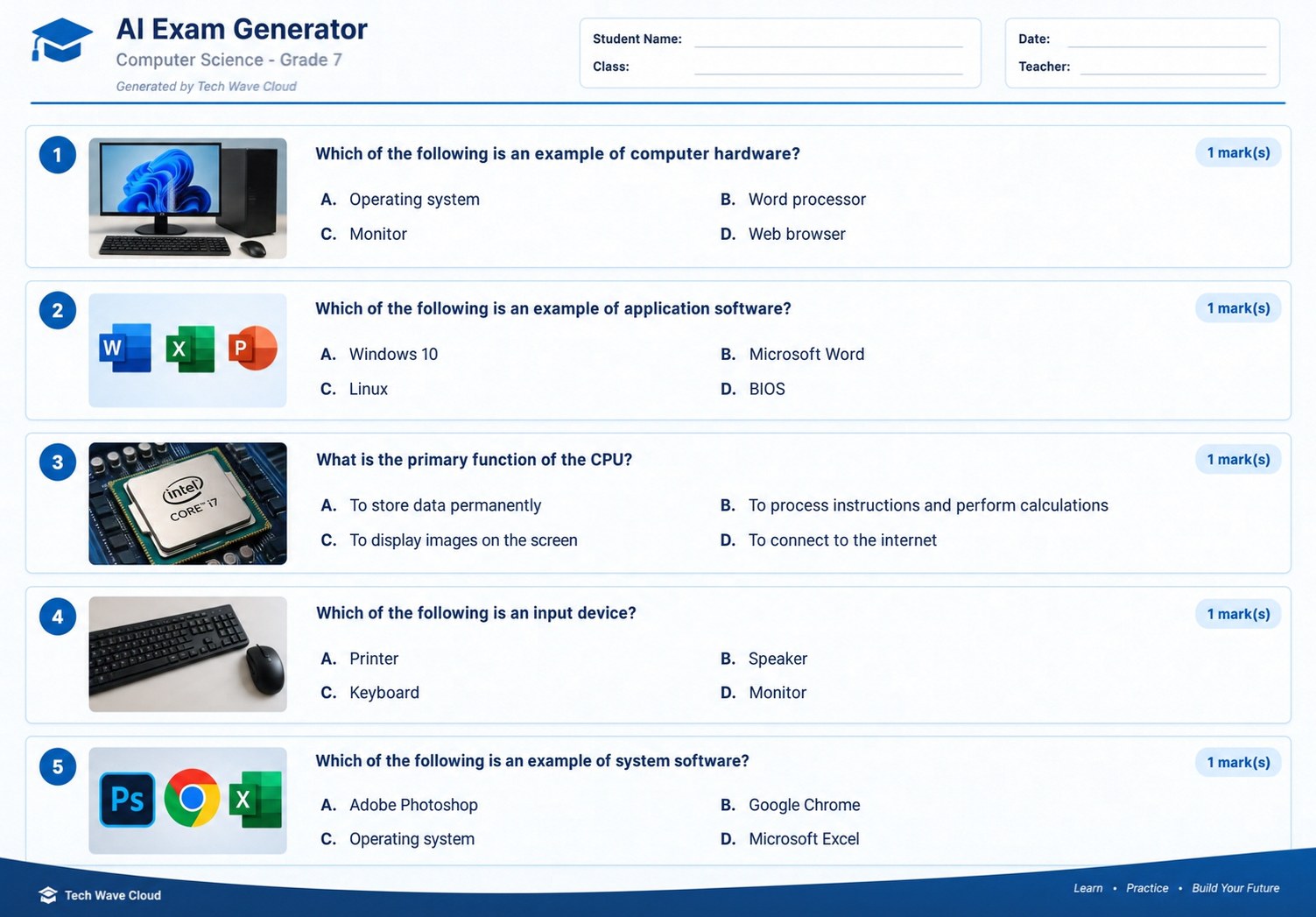
Questions are numbered and display their question type and mark value, with a clear space for student details.
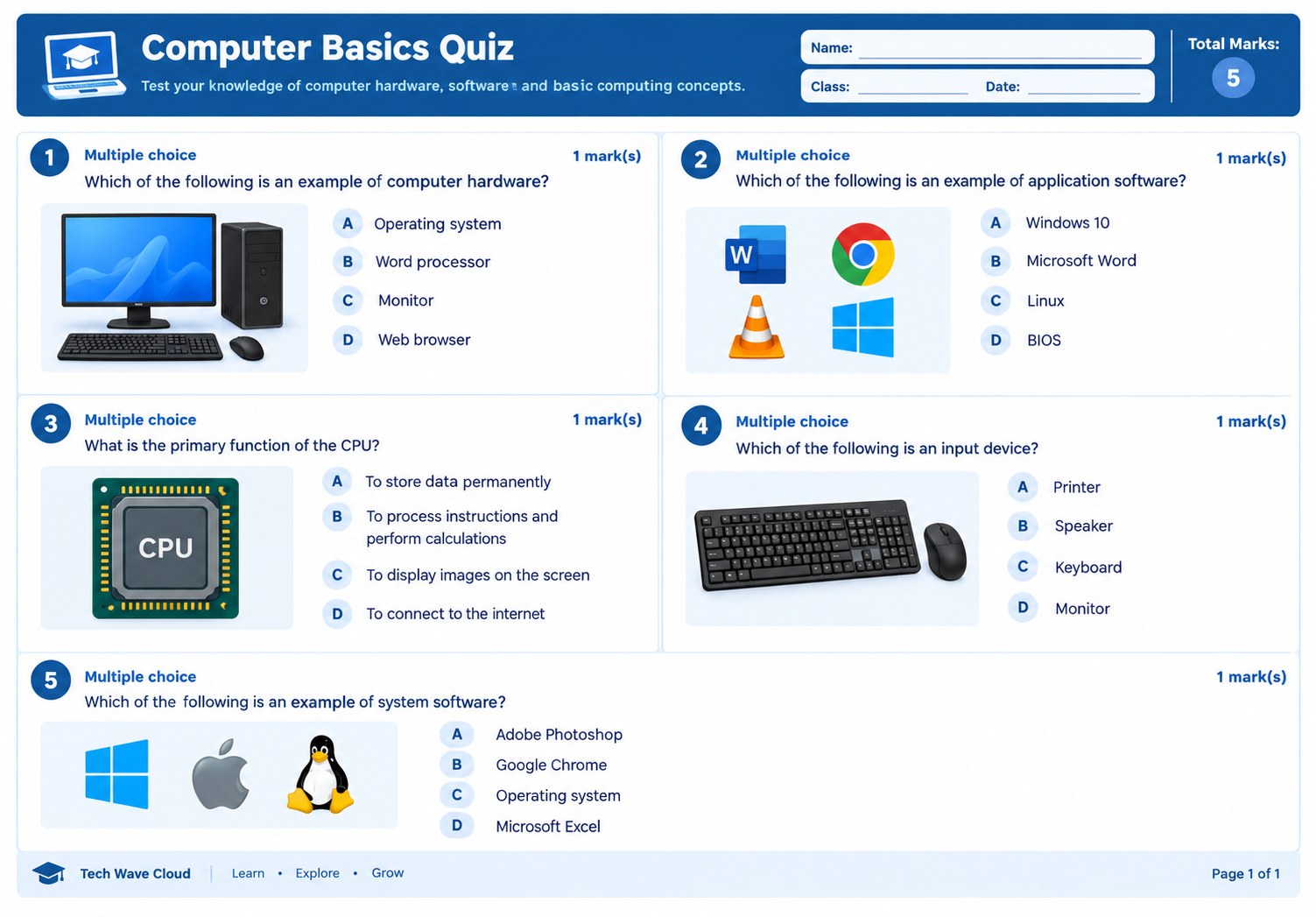
Combine selected-response questions with written answers, fill-in-the-blank tasks and longer problem-solving prompts.
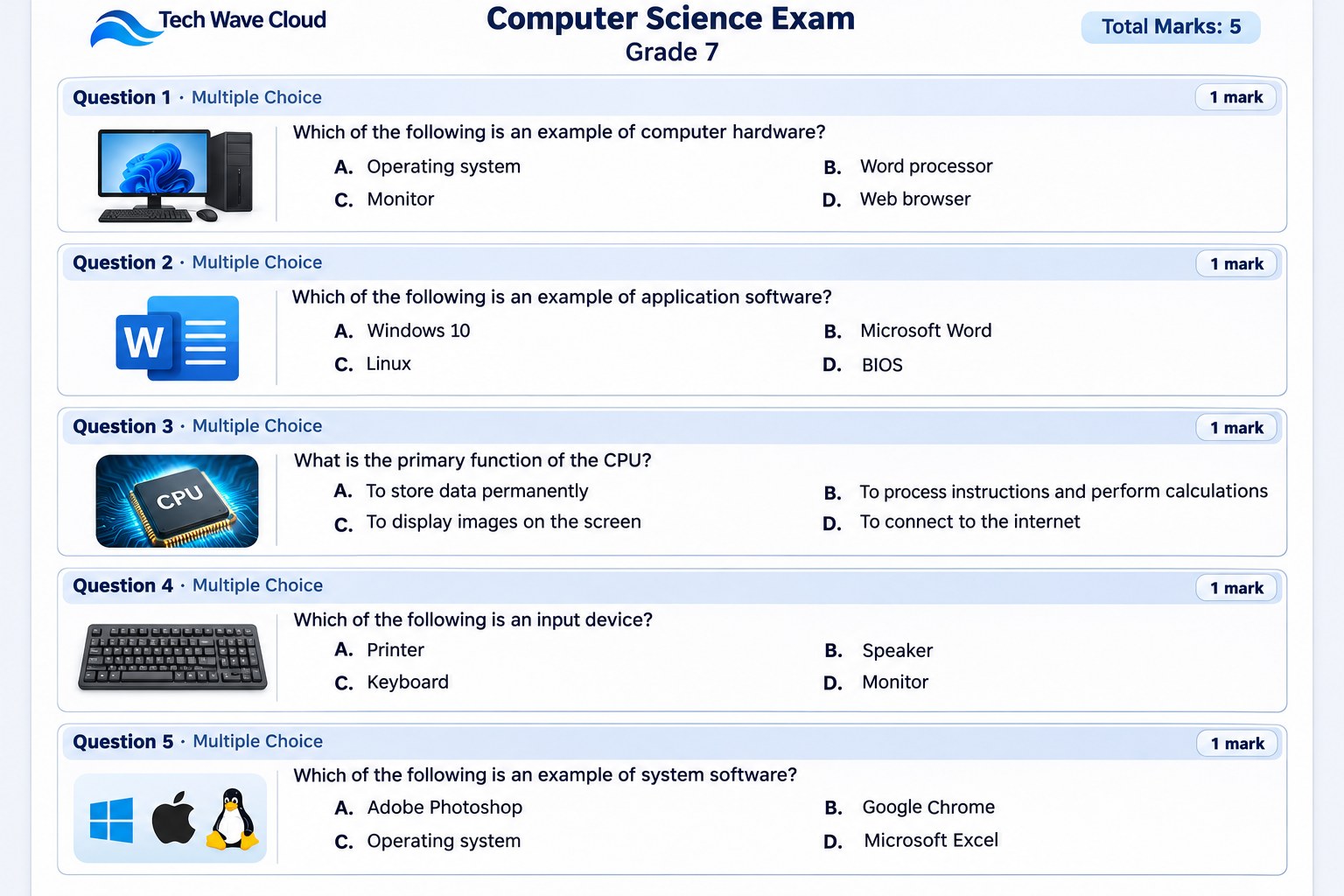
Use the print layout to send the exam to a printer or choose Save as PDF in the browser print dialog.
Choose between 5 and 40 questions. A short quiz can check a single lesson, while a longer paper can cover several connected learning outcomes.
Set a suggested time limit and review the mark allocation. Make sure the total marks and time available are appropriate for the amount of reading and working required.
Generate a draft in English, Bosnian, Turkish, Arabic, Spanish, French or German. Check subject terminology and spelling before distributing translated assessments.
A balanced assessment can use more than one question style. Select the formats that match the learning outcomes and the way students have practised the material.
Give students a question and four answer options. These work well for checking facts, concepts, vocabulary and common misconceptions. Ensure distractors are plausible and only one option is correct unless the question clearly says otherwise.
Ask students to define a term, explain a process, identify an example or provide a brief calculation. Include enough writing space for the expected response.
Use clear statements that test understanding. Avoid vague wording and statements that become misleading because of words such as “always” or “never”.
Remove a key word, phrase, value or term from a sentence. Make the surrounding context precise enough that the expected answer is clear.
Ask students to apply knowledge, show their working and explain a method. These are useful for mathematics, science, computing and real-world scenarios.
Invite students to compare, evaluate, justify or explain ideas in more depth. Give a clear task and use a marking guide that reflects the quality of the response.
Use the subject and topic fields to create assessments for individual lessons, revision sessions, unit reviews or end-of-term preparation.
Generate arithmetic, fractions, decimals, percentages, algebra, geometry and word problems. Ask for working steps where the method matters, not just the final answer.
Prepare questions about biology, chemistry, physics, scientific vocabulary, experiments and interpreting results. Check units, diagrams and scientific explanations carefully.
Create grammar, vocabulary, reading comprehension, sentence structure and writing tasks. Review the reading passage, level of language and suitability of examples.
Assess computer hardware, software, operating systems, internet safety, digital literacy, programming concepts and practical technology knowledge.
Check chronology, causes and consequences, map knowledge, physical geography, countries, places and the interpretation of historical or geographical information.
Combine related chapters in one paper. State the chapters and learning outcomes in the additional instructions so the generated questions stay focused.
Use the following workflow to prepare a draft that is easier to review, print and distribute.
Be precise. For example, use “Grade 7 Computer Studies: input and output devices” instead of entering only “Computers”.
Choose the class level and a difficulty that reflects what students have learned. Use mixed difficulty when you want a range of straightforward and more challenging items.
Choose the number of questions, time limit and question types. A short topic quiz may need fewer questions than a complete unit assessment.
Use additional instructions to mention textbook chapters, learning objectives, terminology, topics to exclude or the balance of recall and application questions.
Read every question, check the options and solve calculations independently. Confirm that the answer key matches the questions and the marks add up correctly.
Choose Print exam or Download PDF. In the print dialog, select Save as PDF to save a digital copy, or choose a connected printer to produce paper copies.
Good assessments measure the knowledge and skills that students were expected to learn. A clear prompt and a careful teacher review make a significant difference.
Decide what students should know or be able to do after the lesson or unit. Include those objectives in the topic or additional instructions, then check whether each question measures one of them.
Include questions that ask students to remember information, explain concepts, apply a method, interpret evidence and justify a conclusion. The right balance depends on the subject and grade.
Each question should contain the information students need. Avoid confusing wording, hidden assumptions, unnecessary reading difficulty and answer options that overlap.
A one-mark fact question should not require a long explanation. A multi-step calculation or extended response usually needs more marks and enough space for students to show their reasoning.
Work through the questions yourself before relying on the generated answers. For open-ended questions, check whether the marking notes allow valid alternative responses and award marks for the required reasoning.
The generated paper is designed with a clean, document-style layout for classroom use. The answer key begins after the student paper, so teachers can keep it separate when preparing copies.
Review page breaks, question spacing, marks, spelling and any special characters. Use print preview to check that no question or answer option is clipped.
Choose Download PDF and then “Save as PDF” in your browser's print dialog. Store a teacher copy with the answer key in a secure location.
The answer key is included at the end of the document. For student distribution, print only the student-paper pages or create a separate student copy without the teacher section.
The page includes five supporting illustrations in its own assets folder. When a generated exam needs a diagram, chart or map, the current generator can return a visual brief for the teacher. It does not automatically create and insert a new custom diagram into each question paper.
When studying dense chapters, passive reading rarely leads to high retention. You can test your immediate comprehension by converting your notes using an interactive practice quiz maker to spot knowledge gaps early.
To ensure you cover all chapters without burning out before finals, map out your daily milestones with an automated study schedule planner that spaces out your revision.
For research-heavy assignments that follow your study sessions, structure your thesis statement and arguments efficiently using an academic paper and essay writer.
AI-generated material is a starting draft, not a substitute for professional assessment design. Before printing, check the paper against your lesson content and school requirements.
It is designed to help teachers prepare draft quizzes, topic tests and examination papers. Teachers should review and adapt each generated assessment before using it in class.
Yes. Enter the subject, topic and grade or class for each new exam. You can use it for subjects such as mathematics, science, English, computer studies, history and geography.
Yes. You can select 5, 10, 15, 20, 25, 30 or 40 questions. The generated paper should be checked to make sure its length and difficulty suit the time available.
You can select multiple choice, short answer, true or false, fill in the blanks, problem solving and extended response questions. Select one or combine several formats.
Yes. Select Bosnian in the exam language field. Review terminology, spelling and curriculum-specific expressions before sharing the paper with students.
Yes. Use either print control to open the browser print dialog. Choose a printer for paper copies or select “Save as PDF” to create a digital document.
The answer key and marking guide are placed after the student questions, starting on a new page. Keep that section for the teacher and exclude it from student copies.
Not currently. The AI can identify a question that would benefit from a visual and provide a description for the teacher, but it does not generate and embed a unique diagram in the exam.
No. AI can make mistakes, including in calculations, facts or marking suggestions. Check every answer independently before using the exam for grading or formal assessment.
You can use it as a draft, but a teacher or subject specialist should verify curriculum alignment, fairness, accessibility, accuracy and school assessment requirements before formal use.