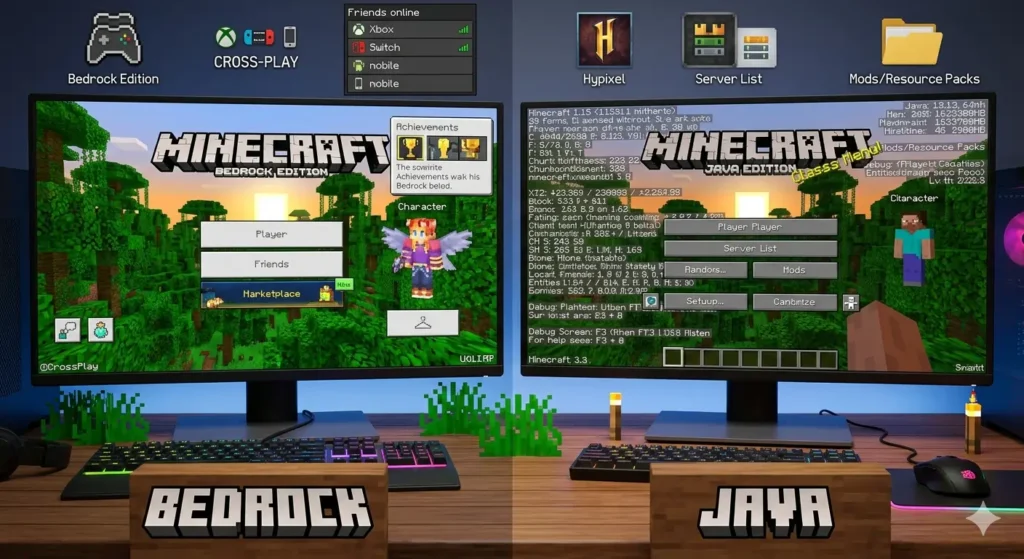
Minecraft Bedrock and Minecraft Java are the two main versions of Minecraft available today. However, many players still struggle to understand the differences between them. As a result, questions such as is Minecraft cross platform, “which version should I buy?”, and “can I play with friends on different devices?” remain extremely common.
Moreover, the answer often depends on whether you’re using Minecraft Bedrock, Minecraft Java, Minecraft Pocket Edition, or Minecraft VR. Consequently, choosing the wrong version can lead to compatibility issues and frustration.
Therefore, this guide explains every major Minecraft edition, compares their features, explores cross-platform support, and helps you decide which version best fits your needs.
Why Minecraft Bedrock Is the Most Popular Version
First, Minecraft Bedrock is the edition written in C++ and designed to run across multiple platforms.
Currently, Bedrock supports:
- Windows 10 and Windows 11
- Xbox One and Xbox Series X|S
- PlayStation 4 and PlayStation 5
- Nintendo Switch
- iOS and Android
- Chromebook and Fire OS
Because Bedrock uses a unified codebase, it supports multiplayer across all supported devices.
As a result, a player on Nintendo Switch can join a friend on Xbox or mobile without difficulty.
Key Minecraft Bedrock Features
Furthermore, Minecraft Bedrock includes several advantages:
- Full cross-play support
- Marketplace access
- Realms Plus integration
- Better optimization
- Easier multiplayer setup
Consequently, Bedrock remains the preferred choice for families and friends who play on different devices.
Minecraft Bedrock Limitations
However, Bedrock is not perfect.
For example:
- Redstone behaves differently from Java.
- Hardcore mode is unavailable.
- Mod support is more limited.
Nevertheless, Bedrock remains the easiest version for multiplayer gaming.
Meanwhile, Minecraft Java Remains the Modding King
Meanwhile, Minecraft Java remains the original version of the game.
Unlike Bedrock, Java only runs on:
- Windows
- macOS
- Linux
Because of its open ecosystem, Java remains the favorite version among modders and technical players.
Minecraft Java Advantages
For example, Java provides:
- Extensive mod support
- Free community skins
- Hardcore mode
- Advanced redstone mechanics
- Large community servers
Furthermore, tools such as Fabric API, OptiFine, Litematica, Forge, CurseForge, and Modrinth primarily target Java players.
If you’re interested in modding, be sure to read our Minecraft Mods Guide.
Minecraft Java Limitations
However, Java has several disadvantages.
Most importantly, it cannot officially cross-play with Bedrock.
Additionally, Java generally requires stronger hardware.
As a result, casual players often find Bedrock easier to manage.
Is Minecraft Cross Platform? What Players Need to Know
The answer to is Minecraft cross platform depends entirely on which version you own.
Bedrock Edition
Fortunately, Minecraft Bedrock supports full cross-platform multiplayer.
Players on:
- Xbox
- PlayStation
- Nintendo Switch
- Windows
- iPhone
- Android
can all join the same worlds.
Java Edition
In contrast, Minecraft Java only connects with other Java players.
Consequently, Java users cannot join official Bedrock servers.
Quick Answer
Therefore, when someone asks is Minecraft cross platform, the answer is:
Yes, if everyone is using Minecraft Bedrock.
Furthermore, Minecraft Pocket Edition Is Now Bedrock
Historically, Minecraft Pocket Edition was the mobile version of Minecraft.
However, Mojang later merged it into the Bedrock ecosystem.
As a result, Minecraft Pocket Edition is no longer a separate product.
Today, mobile players receive:
- Cross-play support
- Marketplace access
- Realms compatibility
- Shared updates with Bedrock
Consequently, mobile users can play seamlessly with friends on consoles and Windows PCs.
Minecraft VR: A Different Way to Play
Interestingly, Minecraft VR is not a separate edition.
Instead, it allows players to experience existing editions in virtual reality.
Bedrock VR
Previously, Bedrock supported VR through Oculus and Windows Mixed Reality.
Although official support has been reduced, older versions still function.
Java VR
Meanwhile, Java players can use Vivecraft.
Furthermore, Vivecraft supports:
- HTC Vive
- Valve Index
- Oculus headsets
- Room-scale movement
As a result, many players consider Vivecraft the best Minecraft VR experience available.
Minecraft Bedrock vs Minecraft Java Comparison
| Feature | Minecraft Bedrock | Minecraft Java |
|---|---|---|
| Cross-Platform Play | Yes | No |
| Mod Support | Limited | Extensive |
| Marketplace | Yes | No |
| Hardcore Mode | No | Yes |
| Performance | Better | Heavier |
| VR Support | Limited | Vivecraft |
Consequently, your decision depends on your priorities.
Choose Minecraft Bedrock If You:
- Want cross-play
- Play on console or mobile
- Prefer simple multiplayer
- Want better optimization
Choose Minecraft Java If You:
- Love modding
- Play on custom servers
- Build advanced redstone systems
- Want hardcore mode
Therefore, How to Play Cross-Platform on Minecraft Bedrock
Fortunately, setting up Bedrock multiplayer is simple.
First, make sure everyone owns Bedrock Edition.
Next, sign in with a Microsoft account.
Afterward, add friends through the Friends menu.
Then create or join a world.
Finally, start playing together.
As a result, players across multiple platforms can share the same experience.
Frequently Asked Questions
Is Minecraft cross platform between Java and Bedrock?
No. However, third-party solutions exist, though official support does not.
Can Minecraft Pocket Edition play with Xbox?
Yes. Since Pocket Edition is now Bedrock, cross-play works normally.
Is Minecraft VR available on all platforms?
No. Support varies depending on hardware and edition.
Which version is better for children?
Generally, Minecraft Bedrock is easier to manage and supports more devices.
Do I get both versions on PC?
In many cases, Windows players receive both Minecraft Java and Minecraft Bedrock through the Minecraft Launcher.
Final Thoughts
Choosing between minecraft bedrock, minecraft java, minecraft pocket edition, or minecraft vr comes down to two things: who you want to play with, and how you want to play.
If cross‑play with friends on different devices is your priority, minecraft bedrock is the only choice. If modding and technical redstone matter more, stick with minecraft java. And if you want to step inside the blocky world, minecraft vr – especially Vivecraft – offers an unforgettable experience.
For a deeper look at modding tools like Fabric API, OptiFine, and Litematica (all Java‑exclusive), read our Minecraft Mods Guide. And to stay informed about future edition updates and announcements, check our Minecraft Live 2026 guide.
Ultimately, the best version is the one that lets you enjoy Minecraft with the people you care about – whether that’s across a PC, a console, a phone, or a VR headset.

