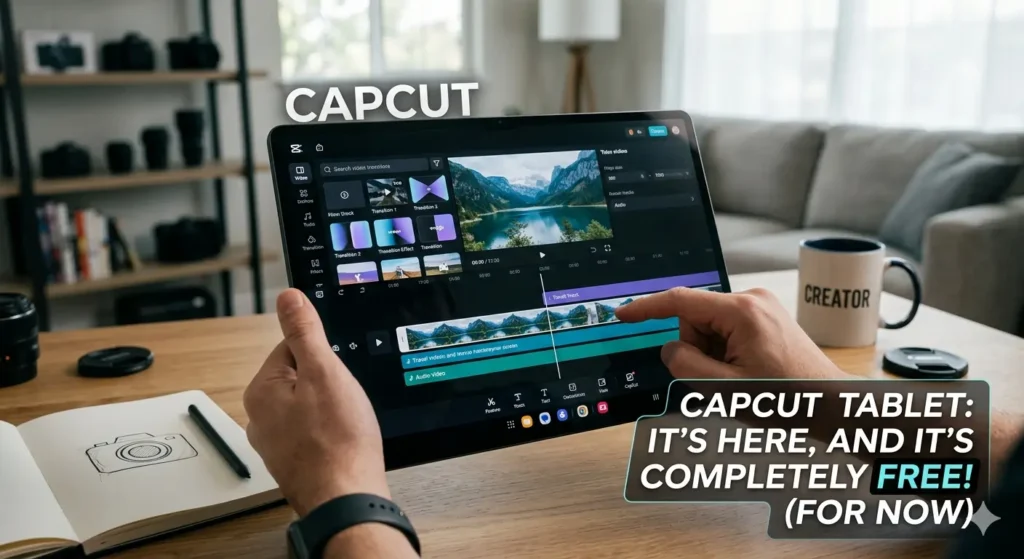
CapCut for tablets might be one of the biggest wins Android creators have seen in years.
Meanwhile, tablet users spent a long time dealing with:
- stretched phone apps
- awkward editing layouts
- limited multitasking
- poor creator tools
instead of true tablet-optimized experiences.
However, CapCut’s new tablet-focused version changes that dramatically.
Consequently, Android tablets now feel much more capable for:
- video editing
- creator workflows
- multitasking
- social media production
overall.
And honestly, the biggest surprise may be that it is still free.
That major update also connects directly to:
- CapCut Pad Brings ‘Desktop-Level’ Video Editing to Android Tablets
- CapCut Finally Gives Android Tablets the App They Deserve
Why CapCut for Tablets Feels Different
Initially, most tablet editing apps simply copied:
- phone layouts
- touch controls
- small interfaces
- mobile workflows
onto larger screens.
Consequently, editing on tablets often felt awkward despite the extra display space.
However, CapCut for tablets reportedly introduces:
- larger timelines
- desktop-style layouts
- drag-and-drop workflows
- expanded preview windows
- multitasking-friendly controls
instead.
Additionally, creators can now manage:
- effects
- subtitles
- audio layers
- transitions
- clip organization
much more comfortably.
Because of that, Android tablets suddenly feel far more useful for serious editing work.
The “Free” Part Is a Huge Deal
Importantly, many advanced editing platforms eventually push users toward:
- subscriptions
- premium exports
- locked features
- creator paywalls
over time.
Meanwhile, CapCut for tablets currently includes many advanced creator tools without forcing expensive upgrades immediately.
Consequently, creators can access:
- layered editing
- AI tools
- advanced timelines
- multitasking workflows
without paying desktop-software prices.
Additionally, this gives Android tablet users a much stronger free editing option than before.
And honestly, that alone may attract huge numbers of creators.
Android Tablets Finally Feel Useful for Editing
Historically, Android tablets struggled with:
- poor app optimization
- stretched mobile apps
- limited creator tools
- weak editing workflows
compared to iPads.
Meanwhile, iPads benefited from:
- Final Cut Pro
- LumaFusion
- stronger creator ecosystems
- better tablet software support
overall.
Consequently, many Android creators still relied on:
- laptops
- desktops
- iPads
instead of Android tablets.
However, CapCut for tablets may finally help close that gap significantly.
Because of that, Android tablets suddenly feel much more competitive for content creation.
CapCut Is Becoming Much Bigger Than TikTok
Importantly, CapCut is no longer just:
- a TikTok editor
- a casual social app
- a lightweight mobile tool
anymore.
Meanwhile, CapCut increasingly offers:
- AI-assisted editing
- desktop workflows
- motion tracking
- layered timelines
- creator productivity tools
across multiple devices.
Consequently, CapCut now competes against:
- Adobe Premiere Rush
- DaVinci Resolve
- LumaFusion
- Canva video tools
instead of remaining only a simple mobile editor.
Additionally, ByteDance clearly wants CapCut to become a full creator ecosystem overall.
Because of that, tablet optimization feels strategically important.
AI Features Keep Expanding
Meanwhile, CapCut continues aggressively integrating AI-powered features including:
- auto captions
- AI cut tools
- voice cleanup
- background removal
- automatic effects
Consequently, creators can often produce:
- TikToks
- Shorts
- Reels
- social clips
much faster than before.
Additionally, AI-assisted editing increasingly focuses on:
- automation
- creator efficiency
- quick publishing
- social-first workflows
instead of traditional manual editing.
Because of that, lightweight tablet editing now feels dramatically more powerful overall.
Tablets Are Quietly Replacing Lightweight Laptops
Interestingly, modern tablets increasingly support:
- keyboard accessories
- stylus workflows
- multitasking
- desktop-style interfaces
- advanced creator apps
Consequently, many creators no longer need traditional laptops for:
- short-form editing
- quick exports
- social content
- lightweight production
overall.
Additionally, CapCut for tablets makes Android devices feel much closer to:
- creator notebooks
- portable studios
- editing workstations
than simple entertainment tablets.
Because of that, tablets increasingly blur the line between:
- mobile devices
- laptops
- creator systems
in everyday workflows.
“Desktop-Level” Editing Is Becoming the Goal
Meanwhile, creator apps increasingly market themselves as:
- desktop-class
- professional-grade
- creator-focused
- workstation-like
to attract advanced users.
Consequently, creators now expect:
- keyboard shortcuts
- layered editing
- large timelines
- multitasking workflows
even on mobile hardware.
Additionally, lightweight phone-style editing apps increasingly feel outdated on larger screens.
Because of that, CapCut’s tablet redesign arrives at exactly the right moment.
The Free Model May Not Last Forever
Realistically, many users already suspect the current free experience could change later.
Meanwhile, creator platforms often eventually introduce:
- subscriptions
- premium exports
- cloud limitations
- locked AI tools
as ecosystems grow larger.
Consequently, some creators may want to take advantage of the free features while they remain widely available.
Additionally, CapCut’s growing creator ecosystem likely costs enormous amounts to maintain overall.
Because of that, future monetization feels very possible.
Final Thoughts
CapCut for tablets may finally give Android creators the editing experience they wanted for years.
Meanwhile, Android tablets increasingly evolve into:
- creator platforms
- portable editing studios
- multitasking workstations
- social media production tools
instead of simple media devices.
Consequently, creators now expect:
- desktop-style interfaces
- advanced timelines
- AI-assisted workflows
- professional editing tools
even on portable hardware.
Additionally, CapCut continues expanding far beyond its original role as a casual TikTok editing app.
And surprisingly, the future of lightweight video editing may involve free tablet software more than expensive desktop programs.